- Industry insights
- People in tech
- Tech trends at BEECODED
- 9 Sep 2025
Automated Document Generation: How to Stop Copy-Paste Errors and Save Hours of Work
Keep reading to discover how automated document generation works and how it can save you hours of repetitive work.
Table of contents
Contributors


Most document mistakes start with copy-paste. And wherever there’s business, there are definitely a lot of documents. But there shouldn’t be a lot of mistakes.
Picture this: an employee needs to send a contract annex to an important client. They grab an old document and copy-paste the client’s details, but accidentally forget to update the billing address. It goes without saying that a human error like this leads to an awkward situation and wasted time.
No matter how careful we think we are, when we produce documents continuously, mistakes can (and will) happen.
Over time, technology has helped us move from handwritten documents to digital ones. Today, with the help of AI, technology can even generate documents for you automatically, through automated document generation.
Keep reading to discover how automated document generation works and how it can save you hours of repetitive work.
What is automated document generation?
Automated document generation is a process where you create documents using predefined templates and data from an external source (for example, a CRM) without manual intervention. Simply put, the system does the work for you, taking information from the database and filling it into ready-made templates.
With this method, you can quickly generate:
- Contract annexes
- HR addendum
- Delivery certificates
- Non-disclosure agreements (NDAs)
- and any repetitive document that consumes time.
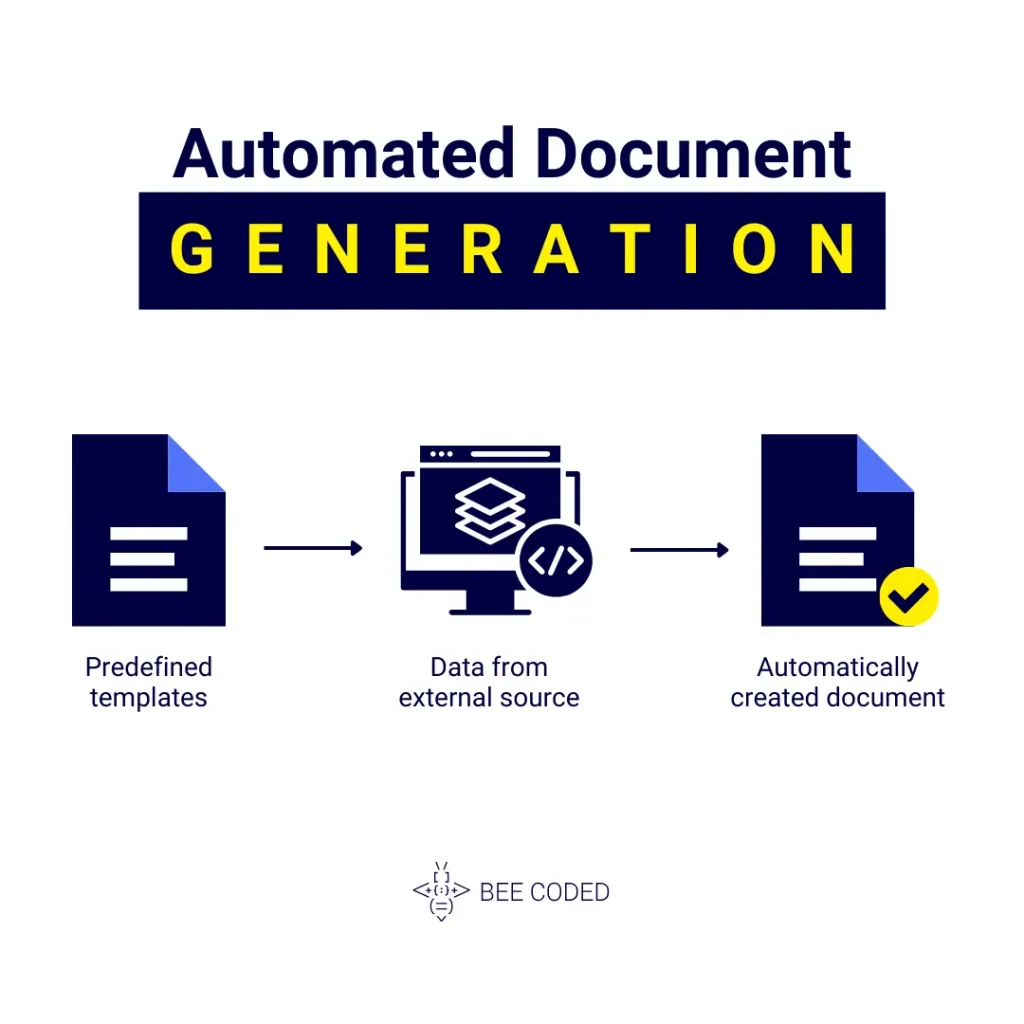
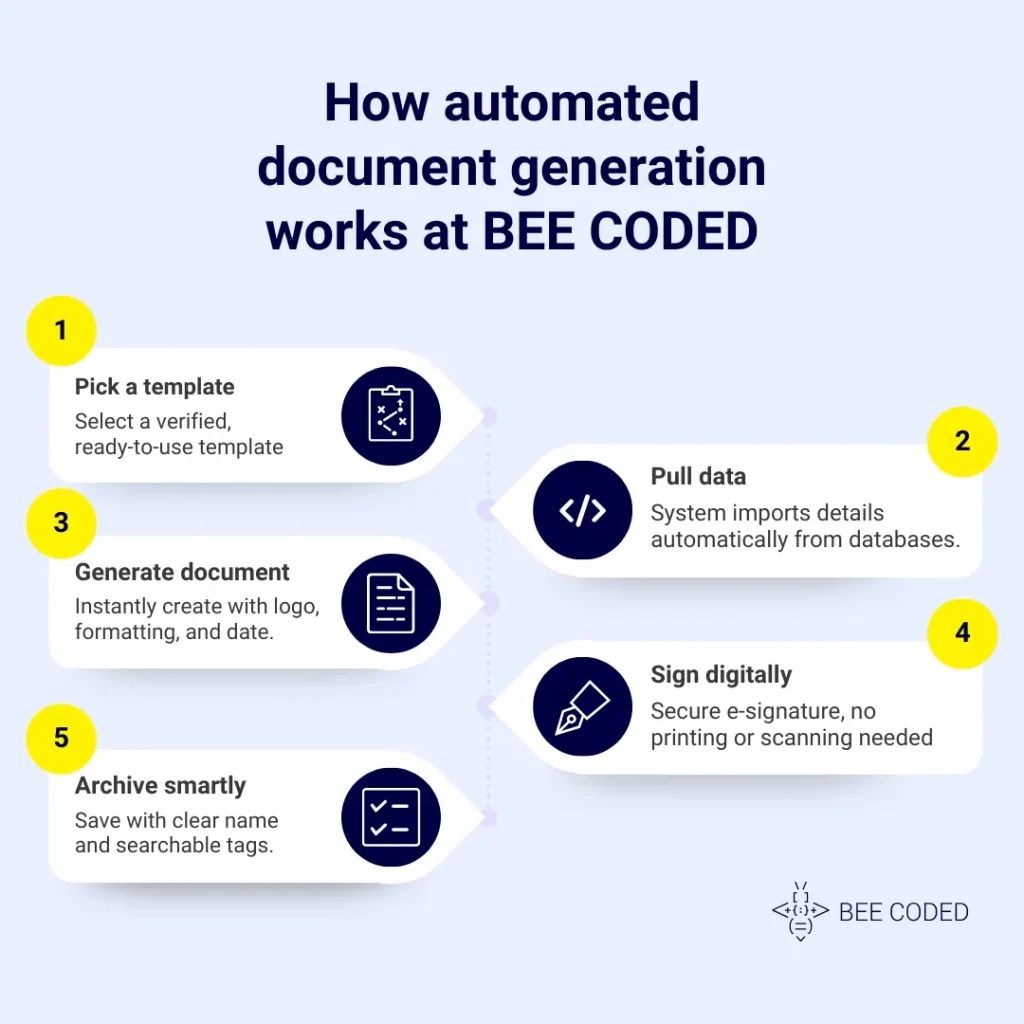
How document generation works at BEE CODED: from template to final file
Step 1: Pick a template
The first step is choosing a template. All standard documents (contract annexes, NDAs, delivery certificates, etc) already exist as ready-to-use templates.
These templates are verified and approved, which means there’s no risk of using an old or incorrect version. This is what we call “version control”: you always use the most up-to-date and correct version of the text.
Step 2: Pull the right data
Next, the system automatically pulls the data you need: names, addresses, prices, bank details, deadlines, everything directly from your CRM, ERP or HR databases. And because the system does this automatically, there’s zero risk of transcription errors.
Step 3: Produce the document
With the template ready and the data automatically inserted, the document is generated instantly.
The system adds your company logo, standard formatting, version and date. And because a “double-check” is always a good idea, you can preview the document before sending it.
Step 4: Sign and return
Documents are signed quickly and digitally via e-signature. This is 100% legal in the European Union and carries the same value as a handwritten signature.
Plus:
- No more printing documents.
- No more scanning or courier deliveries.
- Everything is signed digitally, quickly and securely.
Step 5: File and find later
After signing, the system handles archiving. The final document is saved with a clear, standardized name, for example: ClientX_Annex-2_2025-08-26.pdf
Additionally, the system adds tags so users can easily find the document later.
According to a Templafy study, 62% of employees waste time recreating documents that already exist but cannot be found. With BEE CODED’s automated document processes, you won’t be part of that percentage.
Practical examples: everyday applications of automated document generation
Let’s look at three real-life examples from sales, HR and operations.
Sales: creating a price change annex in minutes
Suppose a sales rep needs a price annex for a new client. Instead of searching through folders and editing manually, they pick a pre-defined template. The data is pulled automatically, and the document is ready for signing in minutes.
HR: sending uniform addenda to a group of employees
Imagine you need to send the same type of HR addendum to 20 employees. Instead of copy-pasting 20 times, BEE CODED generates all the documents automatically, filling in each employee’s unique data.
Operations: generating bulk delivery certificates
After a large delivery, you need to issue 50 delivery certificates for different clients. Instead of doing this manually, the system generates the documents in bulk, correctly and ready to archive.
Document control in automated document generation
An important aspect of document automation is knowing who owns the templates, who approves changes, and how often the wording is reviewed.
Who owns templates?
Templates are managed by a responsible department, usually legal or management. They ensure each document complies with company rules and current legislation.
Who approves changes?
Any modification to a template must be approved by authorized personnel (managers or the legal department). The system tracks all changes, making it clear who made the change and when.
How often to review wording?
Templates are reviewed periodically to remain up-to-date and compliant with the law. Frequency can be set internally, e.g., quarterly or semi-annually, depending on the document type and legislative changes.
A simple starting plan for your business
Start small. If a full rollout feels ambitious, sketch a small starter plan:
- Identify the three most-used documents that consume the most time.
- Gather the necessary data and fields for these documents.
- Test in a single department as a pilot project to see immediate benefits.
What really improves? – Document generation metrics
To measure the real impact of automated document generation, track these factors:
- Time per document – How long it takes now compared to the previous manual process.
- Rework rate – How many documents were returned for corrections or additions.
- “Lost document” incidents – How often important files go missing.
- Turnaround from request to signature – How long it takes for a document to go from request to final signature.
Turn your copy-paste work into an automated, secure and stress-free process. Want to see it in action? Schedule a free demo with our BEE CODED team and discover how simple your document workflow can be when technology is on your side.
Discover more about our business process automation here.